Airline Loyalty Program Software That Turns Every Trip Into Retention
Airline Loyalty Program Software
Updated on:
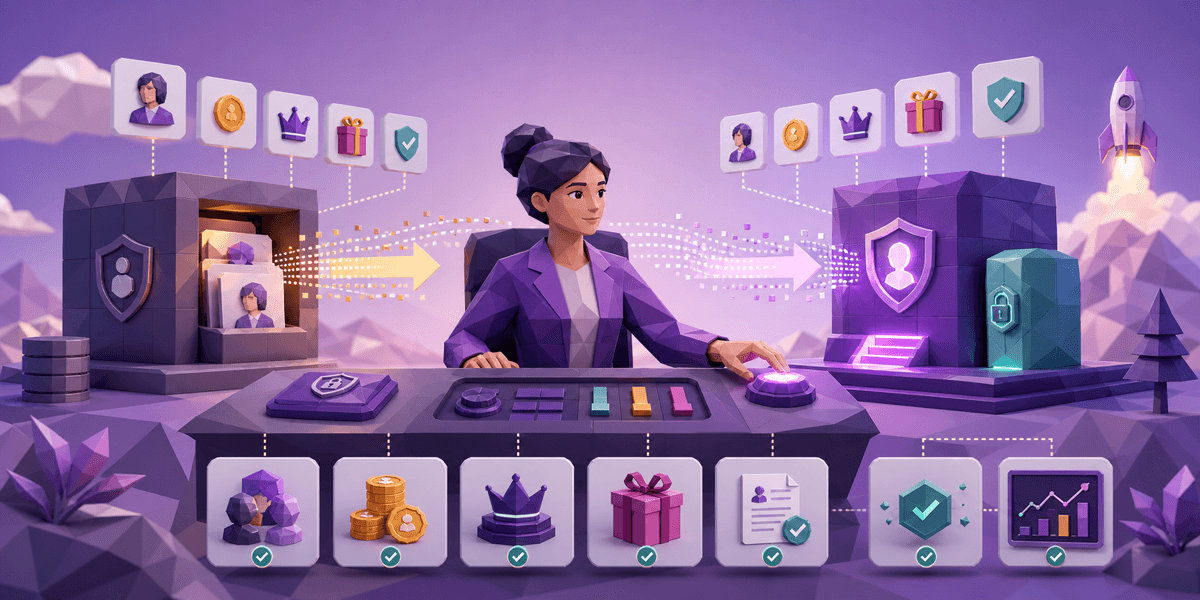
Switching loyalty platforms should not feel like moving a live engine while the car is still on the road. But for many brands, that is exactly what it becomes: points are in one system, customer profiles are in another, tier rules live in a spreadsheet, and campaign triggers depend on fragile integrations nobody wants to touch.
The safest way to switch loyalty platforms without losing member data is to,
(1) map every source of loyalty truth
(2) define exact field-level rules for points, tiers, rewards, and consent
(3) reconcile balances before import
(4) run a shadow period with rollback criteria before customers see the change.
The safest way to migrate a loyalty platform is to treat it as a customer data project first and a software launch second. Your job is not just to move a program. Your job is to preserve trust — member balances, tier status, reward eligibility, purchase history, consent, and every promise the customer already believes you made.
What you will learn in this guide
Why loyalty migrations fail (and it is rarely the launch date)
How to audit every source of loyalty data before you touch anything
What field-level decisions need to be made before any data moves
How to run a shadow test to catch issues before members do
What rollback criteria to set before going live
A complete migration checklist you can use with your team
Why loyalty migrations are uniquely sensitive
Most software migrations affect internal workflows. Loyalty migrations affect customer trust directly.
If a CRM field is wrong, your team may notice. If a member loses 2,400 points or drops from Gold to Silver overnight, the customer notices immediately — and they rarely see it as a technical issue. They see it as a broken promise.
Loyalty data has three qualities that make migration risky:
It is financially meaningful. Points, vouchers, cashback, and perks can represent real customer value — sometimes significant value for top-tier members.
It is identity-based. Tier status and member history are tied to recognition. Losing them feels personal. As we have seen in global fashion loyalty program case studies, the brands that protect this recognition during platform transitions retain far more members post-launch.
It touches many systems. Ecommerce, POS, CDP/CRM, email, SMS, customer service, and analytics may all depend on loyalty fields. In coalition-ready CDP architectures, this web of dependencies is even wider.
That is why migration planning should start with a clear data map, not a project kickoff deck.
Step 1: Audit every source of loyalty truth
Before switching platforms, document where loyalty data actually lives.
Start with the obvious sources:
Current loyalty platform
Ecommerce platform
POS system
Customer data platform or CRM
Email and SMS platform
Help desk
Data warehouse
Then identify the hidden sources. These are usually where migration surprises come from:
Manual adjustment logs
Expired reward exports
VIP exception lists
Fraud or abuse watchlists
Store-level member records
Campaign suppression lists
Customer service compensation notes
For each source, capture: field name, owner, system of record, update frequency, data format, whether it must migrate or only be archived.
The goal is to define what the new platform must know on day one and what can remain in historical reporting.
Step 2: Define the member data model
Do not migrate fields just because they exist. Migrate the data needed to run the program accurately.
At minimum, your loyalty migration model should include:
Customer and member ID
Email and phone (where permitted)
Consent and subscription status
Enrollment date
Current points balance
Lifetime points earned and redeemed
Current tier and tier qualification progress
Active rewards and vouchers, with expiration dates
Referral credits
Manual adjustments
Fraud flags or blocked accounts
Last loyalty activity date
Then define how each field behaves.
A few decisions that trip up almost every migration:
If a customer has multiple accounts, which one wins?
If email and phone profiles conflict, how do you merge them?
If a reward expires during migration week, does it expire or carry over?
If tier rules are changing, do customers keep their current tier temporarily?
If points were manually adjusted, does that history import or only the final balance?
Your loyalty points expiration policy deserves special attention here. If expiration windows are changing between platforms — or if expiration dates exist on a per-point-batch level rather than per-account — you need explicit rules before the first import. (See our loyalty points expiration policy guide for the design considerations that affect what you will need to migrate.)
These decisions should be written down and approved before the first test import.
Step 3: Clean and reconcile before importing
Bad loyalty data becomes more expensive after migration.
Before importing into the new platform, run a cleanup pass:
Remove duplicate member profiles
Normalize emails and phone numbers
Identify customers with impossible balances
Flag negative points balances
Review unusually large manual adjustments
Check active rewards without matching customers
Validate tier status against tier rules
Remove test accounts from production imports
The most important output is your balance reconciliation report. Create a table that compares these figures across your old platform, your import file, and a test import into the new platform:
Metric | Old platform | Import file | New platform (test) |
|---|---|---|---|
Total members | |||
Active members | |||
Total points outstanding | |||
Active rewards | |||
Gold/VIP members | |||
Members with negative balance |
The numbers do not need to be perfect on the first run. They need to be explainable before launch.
Step 4: Map old program rules to new rules
Loyalty migrations often expose a hard truth: the current program logic is messier than the team remembers.
Document old and new rules side by side across every dimension:
Earning rate
Redemption rules
Tier thresholds and evaluation window
Expiration rules
Exclusions
Refund behavior
Birthday and referral rewards
Manual adjustment permissions
Store-level exceptions
Then decide whether migration preserves old rules, switches immediately to new rules, or uses a transition period.
A transition period is often the safest path:
Current tiers are honored for 90 days
Existing vouchers keep their original expiration date
Points balances carry over unchanged
New earning rules begin after launch day
Customer service gets a temporary adjustment policy
This reduces customer confusion and gives your team room to stabilize the new platform. It is especially important for fashion and DTC loyalty programs where top-tier members are highly engaged and quick to notice changes. The fashion programs that handle this best — Sephora, Lululemon, and others covered in our fashion loyalty program success stories — treat tier protection as a non-negotiable during any program transition.
Step 5: Run a shadow test before launch
A shadow test means the new platform runs quietly before customers see it.
During the shadow period, you import a test member set, simulate real activity, and compare expected outcomes. Successful shadow tests verify all of these before go-live:
Purchase earns correct points
Refund reverses correct points
Tier progress updates correctly
Reward redemption reduces balance correctly
Expired rewards behave correctly
Email and SMS triggers fire only when expected
Help desk can see the right member context
Use real scenarios, not just happy-path test cases.
Your test suite should include:
A new member
A VIP member
A member with expired rewards
A member with multiple emails
A member with a refund history
A member with manual point adjustments
A member close to a tier upgrade
A member close to a tier downgrade
A member with no recent activity
If the new platform cannot reproduce these outcomes reliably, do not launch yet.
For omnichannel programs — where points flow across POS, ecommerce, and mobile — shadow testing should cover each channel separately and then together. A balance that reconciles in ecommerce but not at POS is a real-world failure waiting to happen. Our omnichannel loyalty program guide covers the identity and channel-sync architecture that makes this testing reliable.
Step 6: Plan customer communication
Customers do not need to know every technical detail. They do need reassurance.
Your migration message should answer four questions:
Is my account safe?
Are my points safe?
Are my rewards and tier safe?
Do I need to do anything?
A simple message structure:
We are upgrading the loyalty experience. Your existing points, rewards, and tier status will carry over. There may be a short maintenance window. If anything looks wrong, here is how to contact us.
Avoid vague language like "some balances may change." If balances are changing because program rules are changing, explain the change clearly and provide a support path for disputes. If they are not changing, say that explicitly.
Proactive communication before the cutover is always better than reactive damage control after.
Step 7: Launch with monitoring and rollback criteria
Migration does not end when the new platform goes live.
Monitor closely for the first 7–14 days:
Login issues and missing member profiles
Incorrect point balances
Reward redemption failures
Tier mismatches across channels
Delayed purchase events
Duplicate accounts
Campaign trigger errors
Customer service ticket volume (watch for spikes in loyalty-related contacts)
Set rollback or pause criteria before launch. For example:
More than 1% of member balances fail reconciliation
Purchase earning fails for a core channel
Reward redemption fails at checkout
Customer service cannot access member records
Tier status is inconsistent across channels
You may not need to roll back the entire platform. Sometimes the right move is pausing redemptions, disabling a trigger, or freezing tier recalculation until the data issue is fixed.
The loyalty platform migration checklist
Use this as a working reference:
Data and planning
Identify every loyalty data source (obvious and hidden)
Define the new member data model
Decide field-level migration rules for every critical field
Clean duplicate and invalid records
Reconcile balances before import — old platform vs import file vs new platform test
Program rules
Map old program rules to new rules (earning, redemption, tiers, expiration, exclusions)
Decide: preserve old rules, switch immediately, or use a transition period
Define tier protection window if rules are changing
Confirm expiration policy behavior in the new platform
Testing
Import a test member set into new platform
Run shadow scenarios across all real-world member types
QA purchase, refund, reward redemption, and tier logic
Test each channel separately and together (if omnichannel)
Launch readiness
Prepare customer communication (answer the four questions)
Train support teams — give them early access and a dispute handling policy
Set go/no-go criteria tied to reconciliation thresholds
Set rollback and pause criteria before cutover
Monitor daily for at least 14 days after launch
FAQ
How long does it take to migrate a loyalty platform?
It depends on data complexity, the number of integrations, and how many channels are involved. A simple program may move in 4–8 weeks. A multi-channel program with POS, ecommerce, CRM, and campaign integrations typically needs 3–6 months of planning and testing before a safe cutover.
What loyalty data should be migrated first?
Start with the data customers care most about: points balance, active rewards, tier status, enrollment date, and member identity. Then migrate the history needed for reporting, segmentation, and support.
Should points balances change during a loyalty migration?
In most cases, no. Balances should carry over unchanged. If they must change because program rules are changing, communicate the change explicitly and provide a clear support path for disputes.
What is the biggest risk when switching loyalty platforms?
Inconsistent member data across systems. If the new loyalty platform, ecommerce site, POS, and customer service tools disagree on a member's balance or tier, customers will notice — and it will feel like a broken promise, not a technical glitch.
Do you need a shadow run before launching a new loyalty platform?
Yes. A shadow run compares old and new platform behavior before customers experience the switch. It is the single best way to catch data and logic mismatches before they become support tickets.
What about coalition loyalty programs — are they harder to migrate?
Yes, significantly. Coalition programs have member data and transaction history distributed across partner systems, which multiplies the data sources you need to audit. See our coalition-ready CDP architecture guide for the underlying data model that makes coalition migration manageable.
How CXForge supports loyalty platform migrations
Most migrations fail at the seams between systems — customer identity, loyalty balances, and channel activation.
CXForge combines loyalty program management with a built-in customer data platform, which means member profiles, points balances, tier status, and campaign triggers all live in one place. For brands switching platforms, that unified data model removes the most common source of migration failure: disconnected systems that disagree on who the customer is and what they have earned.
If you are planning a platform switch, the right starting point is a migration audit — before you choose a launch date.